

The Custom Bot is a fantastic feature that can be enabled in the Bot Personalizer, and that allows you to completely customize your MEE6 (changing its avatar, activity, status, or even enabling the Backstory).
However, your Custom Bot requires a special configuration to perform most of the functions from the Dashboard. This special setup is called Privileged Gateway Intents, without them, the new bot can't interact with messages, users, and many other important things.
Go to Discord's developer portal Visit https://discord.com/developers/applications, and log in with your Discord account if this is not already the case.
Select your Bot Application Then, click on your custom bot application. If you do not find your application there, it's probably because you are logged in to the wrong account.
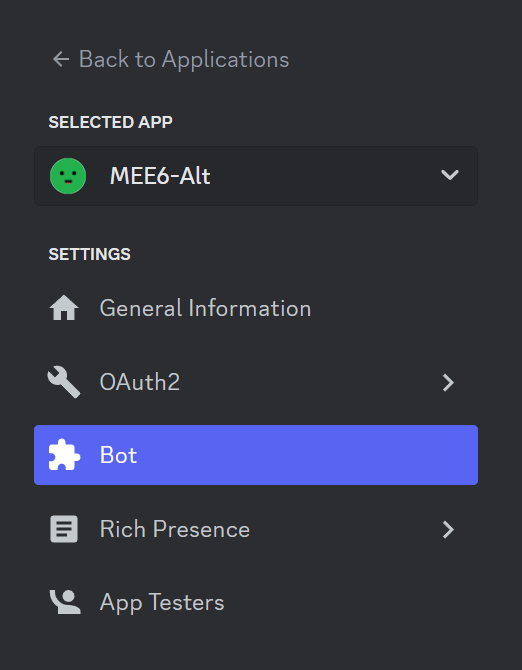
Custom Bot Settings On the left sidebar, go to the "Bot" section.
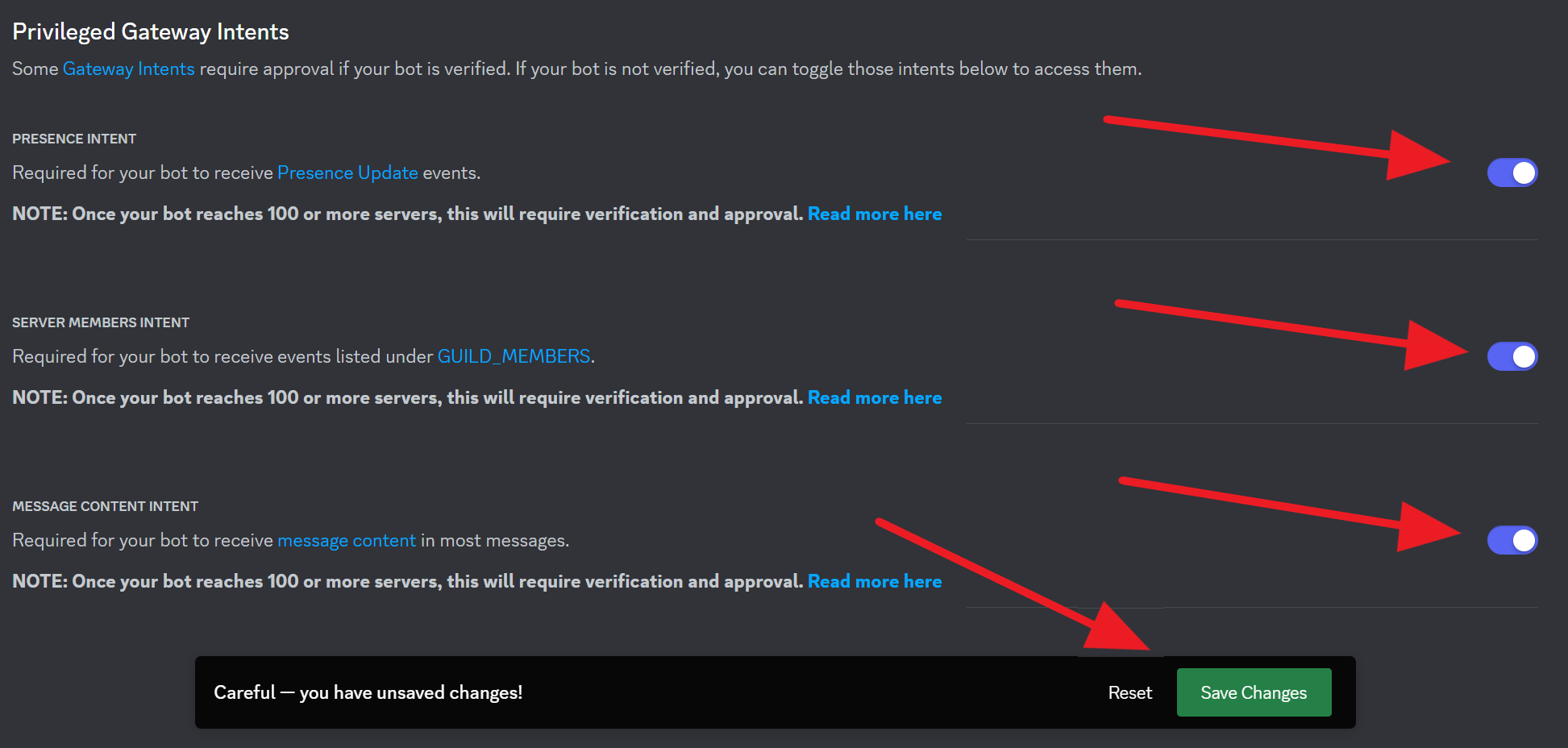
Enable Intents Scroll down to the Privileged Gateway Intents section and enable the "Presence Intent", "Server Members Intent", and "Message Content Intent".
Two Factor-Authentication If your server has 2FA enabled (you can check by visiting the server settings -> Safety Setup-> Bottom section should tell you) then the owner of the Custom Bot must have 2FA enabled on their account in order to have a fully functional bot (this is a discord restriction to ensure your safety).
Last step Now you saved the changes, ensure that your browser can open second windows by visiting the browser settings and turning off any Window Popups Blocker. Finally, reset the token, and invite the Custom Bot again by going to Dashboard -> Your Server -> Bot Personalizer. Do not forget to always save your changes.
If you have any issues with this, do not hesitate to join our support server ✌️