
Go to Discord's developer portal and create an application Go to https://discord.com/developers/applications, log in with your Discord account if this is not already the case, and click the "New Application" button.
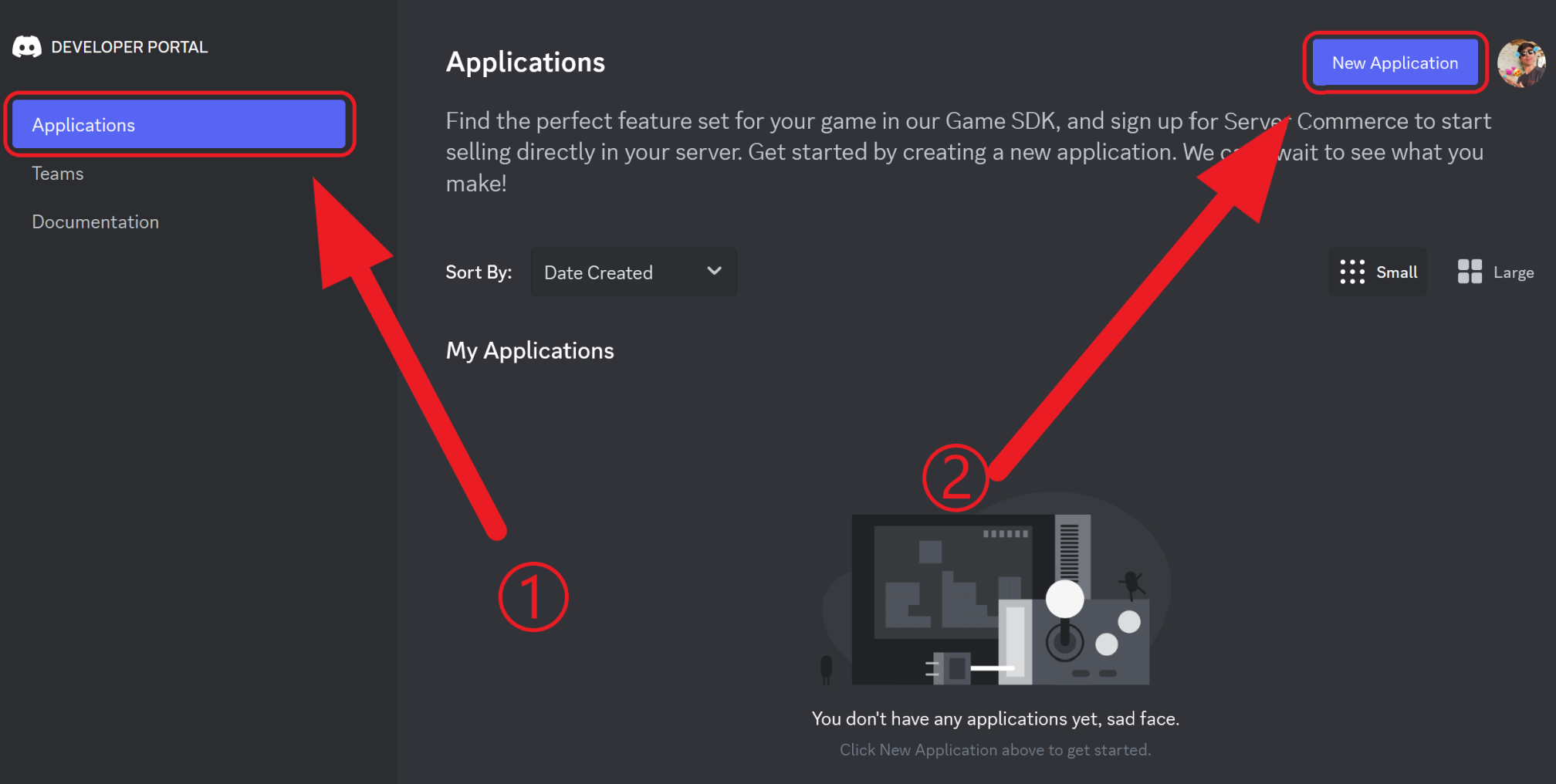
Give a name to your application and press Create. Don't worry about it now, you can always change the name of your bot at any time!

IMPORTANT: Enable Intents Go to the "Bot" tab:

Scroll down to the Privileged Gateway Intents section and enable the "Presence Intent", "Server Members Intent" and the "Message Content Intent".

Get your Token Press the "Reset Token" button to see your token.


Note: Before resetting the token, you will also need to insert your 2FA code in case you enabled the 2 Factor Authentication on your Discord Account.


Now, you should see your token, just like in the screenshot above. This token is super secret and you should never give it to anyone else without knowing why or you risk someone else taking over your bot. If you think your token might have leaked, please press the reset button or delete your application.
Next, you can go back to your MEE6 dashboard to set up your Bot Personalizer with this token. From here, you will also be able to change your bot's avatar and username at any time. Have fun!
Note: The new bot replaces MEE6. You can keep the default MEE6 in your server, or kick him. It doesn't make a difference.
Frequently Asked Questions - Bot Personalizer
Are my Reaction Role and Embeds messages going to work with the Custom Bot?
In the same way you cannot edit other Discord members' messages, your Custom Bot will not be able to handle messages sent by MEE6. But don't worry, thanks to our duplicate button, you can resolve it by following the next:
Visit https://mee6.xyz/dashboard/ and open your server
Open the Reaction Role plugin and duplicate all the messages that were sent by MEE6 (remember to remove the old ones)
Open the Embed Messages plugin and, also, duplicate the messages (also delete the old ones)
Do I need to keep the default MEE6 after inviting my Custom Bot?
For your convenience, we developed this plugin to give you freedom. Therefore, you can choose if you keep both bots or if you want to let MEE6 go by kicking it (right-click -> kick).
If you have any issues with the plugin, do not hesitate to join our support server! ✌️