

Do you fancy notifying your Discord Community Server about new videos on YouTube?
The MEE6 bot will automatically announce whenever you or your favorite YouTuber uploads a new video with the YouTube Alerts plugin. Use MEE6 dashboard to link the YouTube channels and keep up with the recently uploaded videos.
Here is a step-by-step guide for setting up your MEE6 bot to automatically post a link to new videos in your discord server.
Go to https://mee6.xyz/dashboard. If you already have MEE6 on your server, skip to 5.
Log in with your Discord account.

Authorize the MEE6 bot to access your account.

Select the Discord server you wish to add MEE6.
Now, go to your Discord Server Settings (⚙), Roles, and find the role associated with your bot.
Next, scroll down to the bottom and enable the Administrator option, and save the changes.
Alternatively, you can go to the chosen announcement channel's settings, select permission, and add the Bot's role, enabling: View Channel, Send Messages, Embed Links, Attach Files, and Mention @everyone and @here and/or all roles.


How to configure the YouTube Alerts plugin
Go to https://mee6.xyz/dashboard.
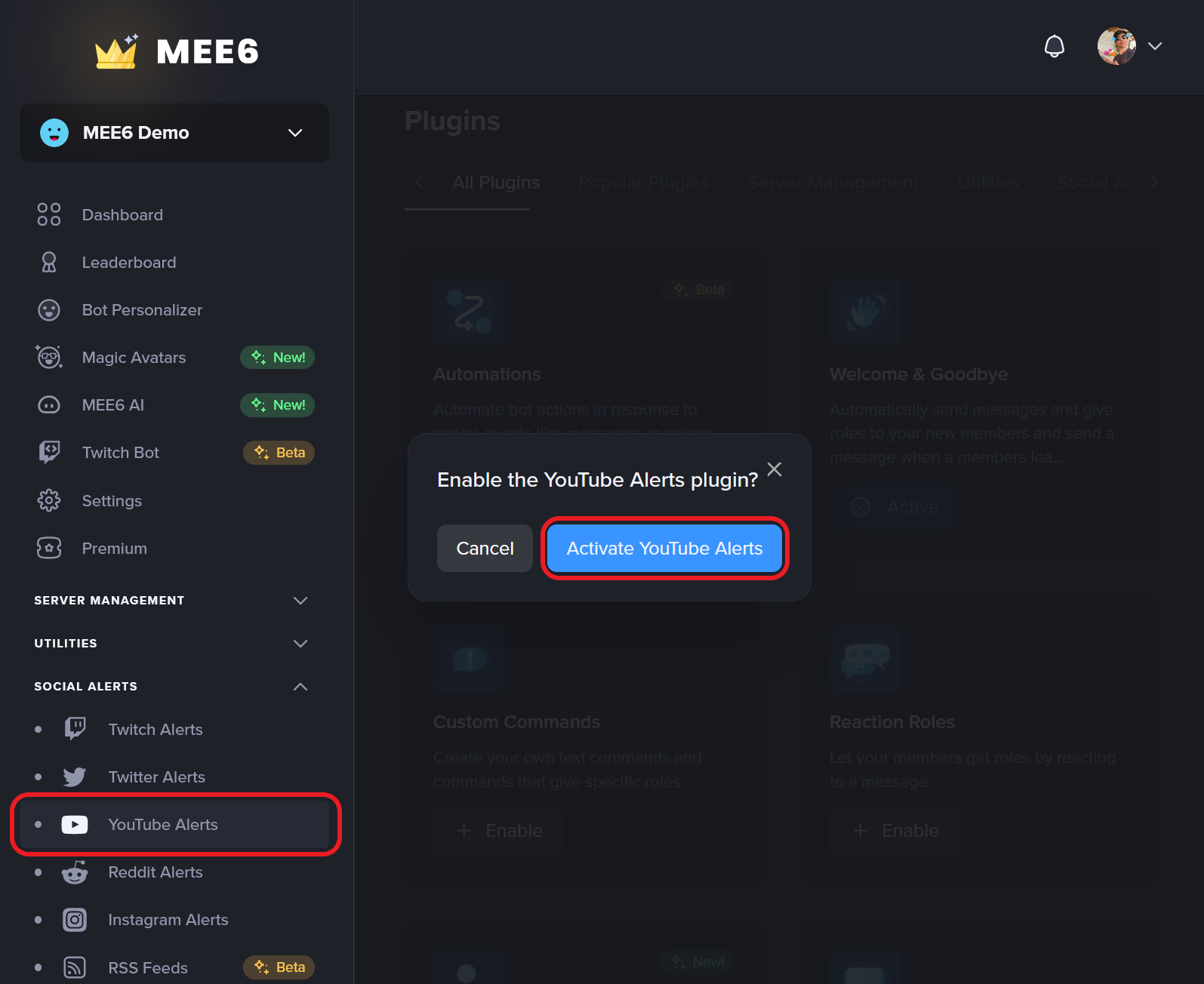
Click on Dashboard and then Click on YouTube Alerts.
Click on Activate YouTube Alerts.
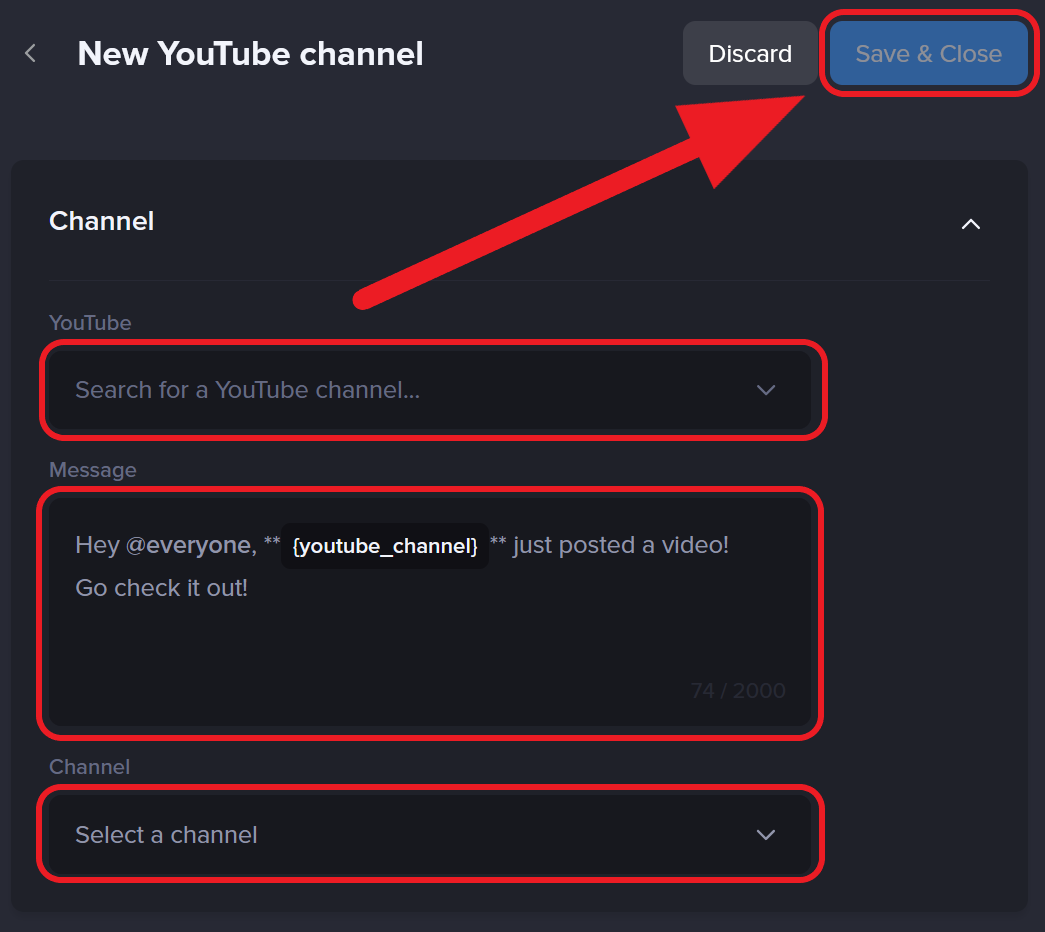
Next, select the New YouTube Channel option.
Here, you will be able to: Select the YouTube channel. Customize the message you want MEE6 to post. Select the announcement channel.
You are done!
That’s it! Now, you just need to wait for a new video to be uploaded by your favorite YouTuber or your own channel.
Frequently Asked Questions - YouTube Plugin
Is the YouTube Alerts capable of notifying live streams, shorts, and premier videos?
We are happy to inform you that YouTube Alerts can forward most of these options.
Shorts: Yes, you don't need to prepare any special configuration, and the plugin will announce new shorts.
Live streams: Not directly. The plugin will announce the video once the livestream has ended and the VoD is published on the configured YouTube channel. In some rare cases, a livestream may appear before it starts, but this behavior is inconsistent and not officially supported.
Premier: No, YouTube Alerts is still incapable of forwarding videos set as premier.
Why my YouTube videos are not getting sent?
There could be more than just a straightforward answer, but it is normally associated with:
YouTube not pushing the notification or;
A misconfiguration in the Discord server or;
Low engagement and views may prevent the video from being announced by YouTube.
Most effective fix:
Go to your Discord server settings.
Open the roles tab and spot the role associated with your bot.
In the permissions, give the View Channels, Send Messages, Embed Links, and Use External Emojis.
[!] Remember to add the permission ✅ for the bot's role on every item you may have denied by default in the text channels.
If you have any issues with the plugin, do not hesitate to join our support server! ✌