Connect 4 Discord bot
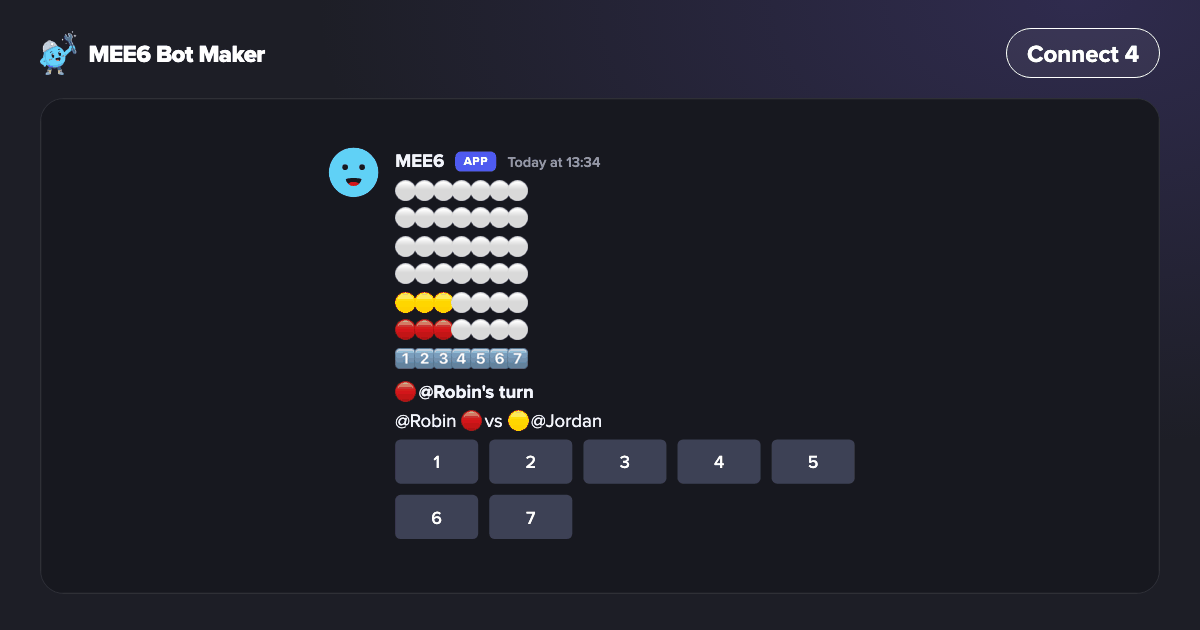
Play Connect 4 against another member on a 6×7 board.
No code needed. Try it in your browser before adding it to Discord.
What it does
Play Connect 4 against another member on a 6×7 board.
How to play:
/connect4 @opponentstarts a game- Click the numbered buttons (1-7) to drop your disc in that column
- Red goes first, then yellow
- Get four in a row (horizontal, vertical, or diagonal) to win
- Only the two players can click the buttons; spectators are refused privately
- When the game ends, click Play again to start fresh with the same opponent
Commands
/connect4Play Connect 4 against another member
Add Connect 4 to your server
Log in with Discord
Sign in with your Discord account and choose the server where you want it.
Try it here
Play with commands, buttons and replies in a simulated Discord server, right in your browser. Your real server stays untouched.
Add it to your server
Choose your server, check the settings and add your module. Want something different? Just ask MEE6 to change it.
The prompt behind it
Build Connect 4 between two members: a 6x7 board drawn with emoji in the message, seven column buttons under it laid out over two rows, each click drops a disc and edits the board in place, clicks from anyone but the two players are refused privately, and when four line up or the board fills the columns give way to a Play again button that only those two can press