Suggestion Box Discord bot
Suggestion Box lets members submit ideas that get posted with voting reactions and discussion threads.
No code needed. Try it in your browser before adding it to Discord.
What it does
Suggestion Box lets members submit ideas that get posted with voting reactions and discussion threads.
How to use
Members:
/suggest idea: Your idea here— submit a suggestion
Admins:
- Configure the suggestions channel in the Settings tab
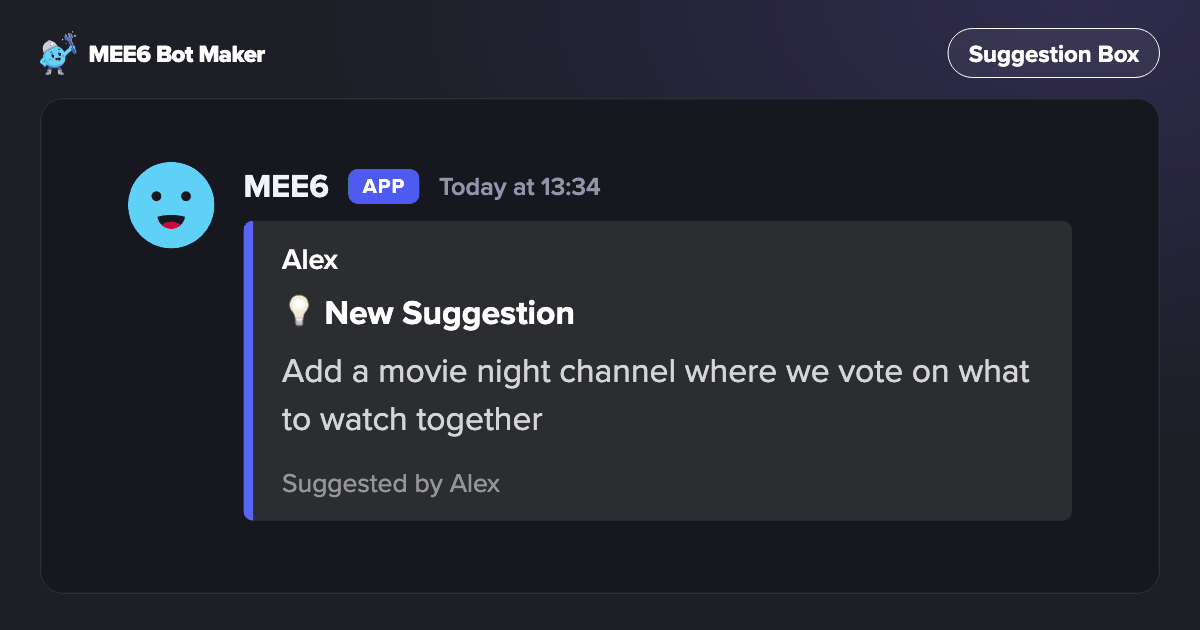
Each suggestion is posted as an embed with 👍 and 👎 reactions for voting, and a thread is automatically created for discussion.
Commands
/suggestSubmit a suggestion
Add Suggestion Box to your server
Log in with Discord
Sign in with your Discord account and choose the server where you want it.
Try it here
Play with commands, buttons and replies in a simulated Discord server, right in your browser. Your real server stays untouched.
Add it to your server
Choose your server, check the settings and add your module. Want something different? Just ask MEE6 to change it.
The prompt behind it
Build a suggestion box: /suggest posts the idea in #suggestions as an embed with 👍 and 👎 reactions, and opens a thread on it for discussion