Thread helper Discord bot
Automatically posts a helpful reminder when someone creates a thread in your help channel.
No code needed. Try it in your browser before adding it to Discord.
What it does
Automatically posts a helpful reminder when someone creates a thread in your help channel.
How it works
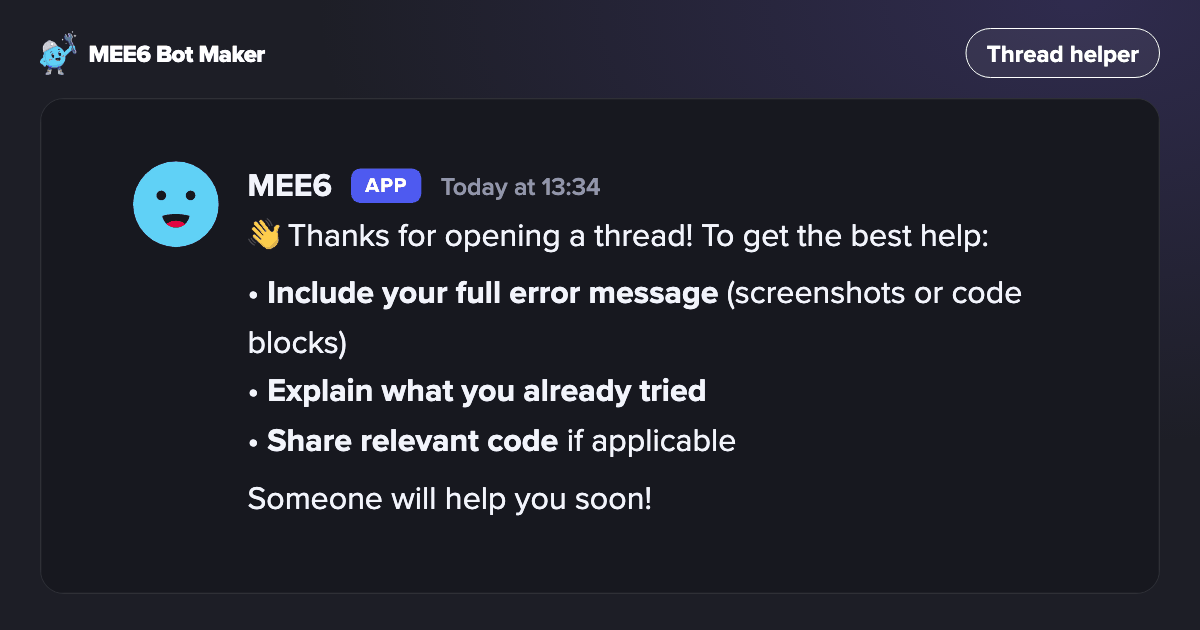
When a thread is opened in the configured help channel, the bot immediately posts a message reminding the member to:
- Include their full error message
- Explain what they already tried
- Share relevant code if applicable
Setup
Set the help channel in the settings — the bot will monitor threads created there. The reminder message can be customized to match your server's style.
Add Thread helper to your server
Log in with Discord
Sign in with your Discord account and choose the server where you want it.
Try it here
Play with commands, buttons and replies in a simulated Discord server, right in your browser. Your real server stays untouched.
Add it to your server
Choose your server, check the settings and add your module. Want something different? Just ask MEE6 to change it.
The prompt behind it
When someone opens a thread in #help, post a message in it reminding them to include their error message and what they already tried