Message Quote Discord bot
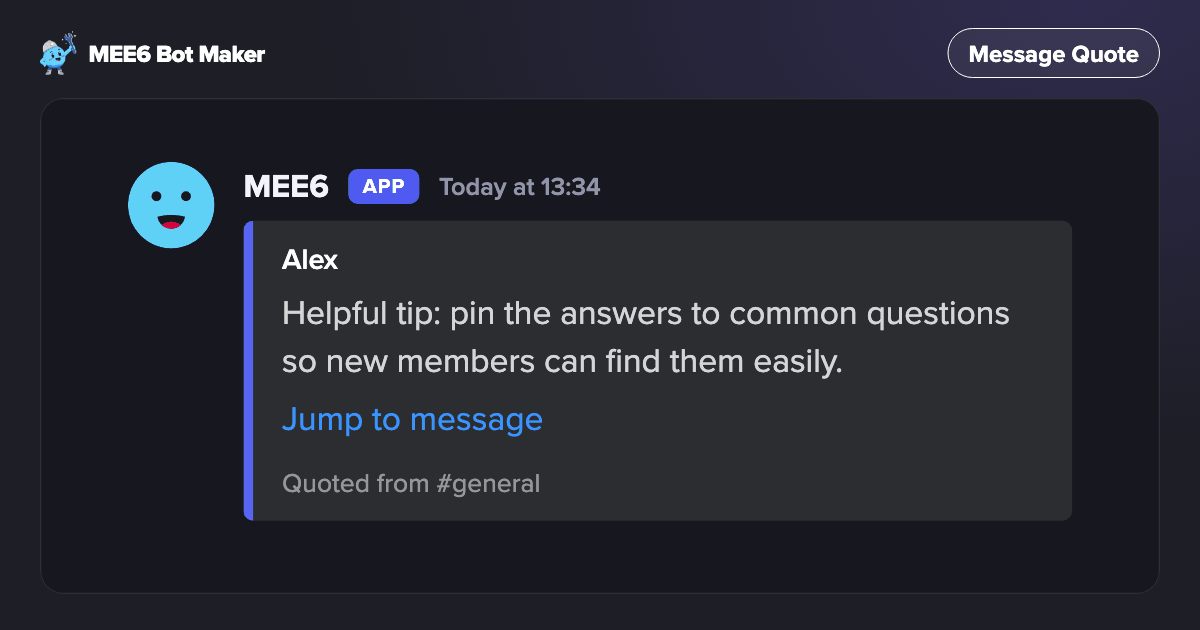
Quote and repost messages as styled embeds.
No code needed. Try it in your browser before adding it to Discord.
What it does
Quote and repost messages as styled embeds.
Usage:
/quote message_id:<id>— Quote a message from the current channel/quote message_id:<id> channel:#other— Quote from a different channel
The bot reads the message, formats it as an embed with the author's name and avatar, includes any images, and adds a link back to the original message.
Commands
/quoteQuote a message by its ID
Add Message Quote to your server
Log in with Discord
Sign in with your Discord account and choose the server where you want it.
Try it here
Play with commands, buttons and replies in a simulated Discord server, right in your browser. Your real server stays untouched.
Add it to your server
Choose your server, check the settings and add your module. Want something different? Just ask MEE6 to change it.
The prompt behind it
Add a /quote command that takes a message id, reads that message and reposts its content as an embed crediting the original author