Support Panel Discord bot
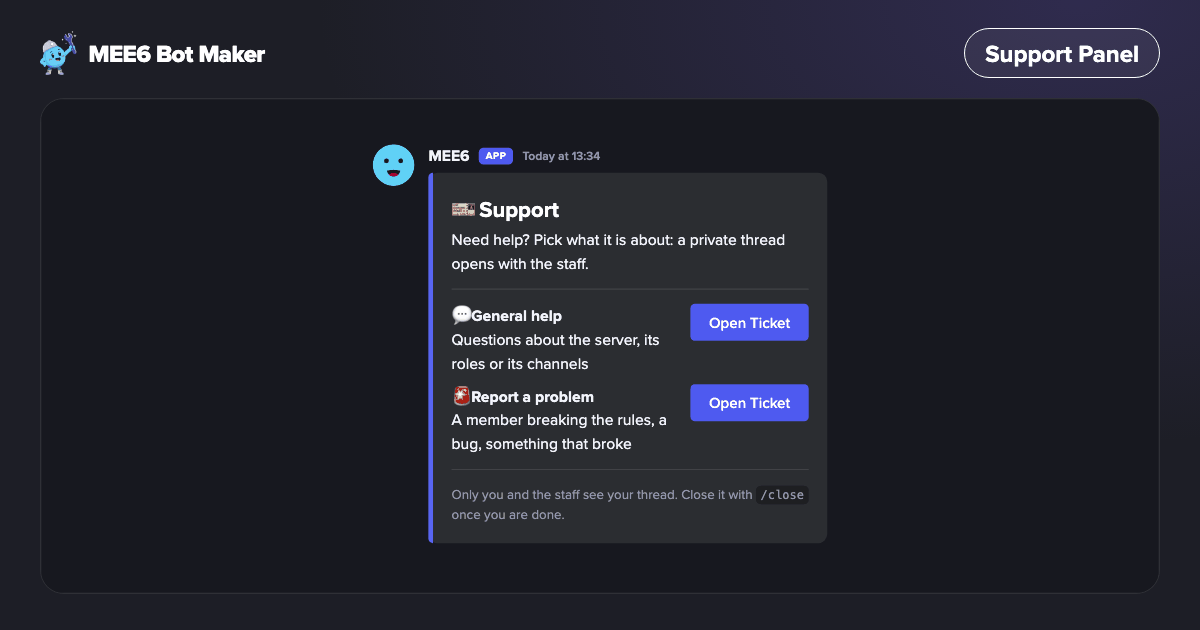
A support panel that opens private threads for members to get help from staff.
No code needed. Try it in your browser before adding it to Discord.
What it does
A support panel that opens private threads for members to get help from staff.
Setup:
- Configure the staff role and panel channel in settings
- List the kinds of request the panel offers (general help, reports…) — each gets its own line and button
- Use
/panelto post the panel
Usage:
- Members click "Open Ticket" beside what their request is about to open a private thread
- Staff are automatically added to each thread
- Use
/closeinside a thread to archive it (available to the opener and staff)
Commands
/panelPost the support panel/closeClose the current support ticket
Add Support Panel to your server
Log in with Discord
Sign in with your Discord account and choose the server where you want it.
Try it here
Play with commands, buttons and replies in a simulated Discord server, right in your browser. Your real server stays untouched.
Add it to your server
Choose your server, check the settings and add your module. Want something different? Just ask MEE6 to change it.
The prompt behind it
Build a support panel: a /panel command posts a card listing the kinds of request I configure (general help, report a problem…), each with its own Open Ticket button that opens a private thread with the member and the @Staff role, and a /close command that archives it