Weekly Message Recap Discord bot
Tracks all messages sent in the server and posts a weekly recap every Monday at 10:00 UTC.
No code needed. Try it in your browser before adding it to Discord.
What it does
Tracks all messages sent in the server and posts a weekly recap every Monday at 10:00 UTC.
How it works:
- Every message sent is automatically counted (per member and total)
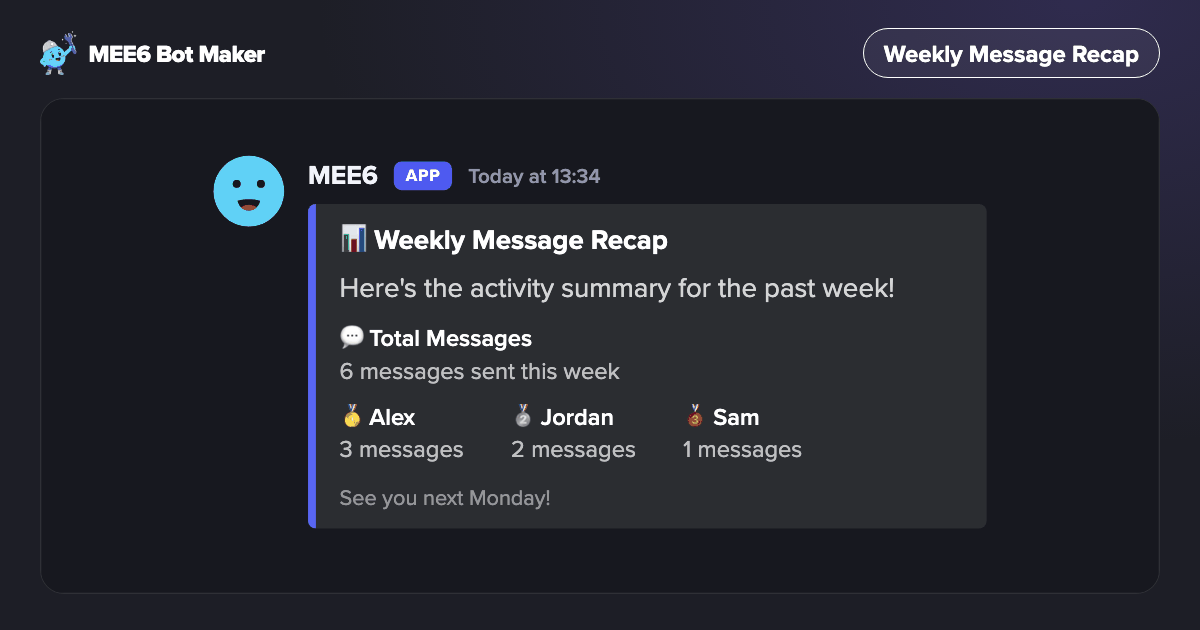
- Every Monday at 10:00 UTC, a recap is posted showing:
- Total messages sent that week
- Top 3 most active members with medals (🥇🥈🥉)
- Counters reset automatically after each recap
Setup:
- Configure the recap channel in the dashboard settings (defaults to #general)
- Run
/setup-recapto activate the Monday schedule - Use
/week-statsanytime to check current week progress
The creation works across any Discord server without hardcoded channels or roles.
Commands
/setup-recapSet up the weekly recap schedule/week-statsCheck current week statistics
Add Weekly Message Recap to your server
Log in with Discord
Sign in with your Discord account and choose the server where you want it.
Try it here
Play with commands, buttons and replies in a simulated Discord server, right in your browser. Your real server stays untouched.
Add it to your server
Choose your server, check the settings and add your module. Want something different? Just ask MEE6 to change it.
The prompt behind it
Count the messages sent each week and post a recap in #general every Monday at 10am UTC with the total and the three most active members