Level Up Cards Discord bot
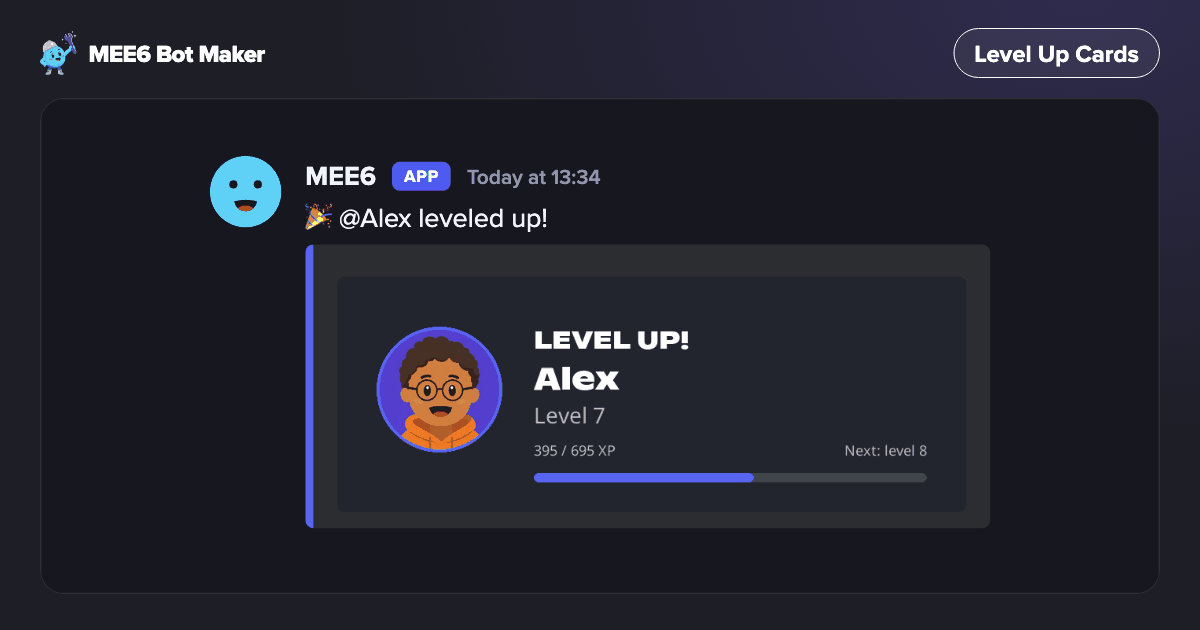
Posts a stylized card when members level up, showing their avatar, new level, and XP progress toward the next level. Configure which channel receives the announcements in the dashboard.
No code needed. Try it in your browser before adding it to Discord.
What it does
Posts a stylized card when members level up, showing their avatar, new level, and XP progress toward the next level. Configure which channel receives the announcements in the dashboard.
The card features:
- Member's avatar in a circle with Discord branding
- "LEVEL UP!" header
- Member's display name and new level
- Visual progress bar showing XP toward next level
- Mention outside the embed to notify the member
Each member is only announced once per level-up, and the creation tracks their progress automatically.
Commands
/levelcardPreview your level card
Add Level Up Cards to your server
Log in with Discord
Sign in with your Discord account and choose the server where you want it.
Try it here
Play with commands, buttons and replies in a simulated Discord server, right in your browser. Your real server stays untouched.
Add it to your server
Choose your server, check the settings and add your module. Want something different? Just ask MEE6 to change it.
The prompt behind it
Whenever a member levels up, post a card in a channel I choose with their avatar, their new level and a progress bar drawn by the image model, and mention them outside the embed