Welcome Banners Discord bot
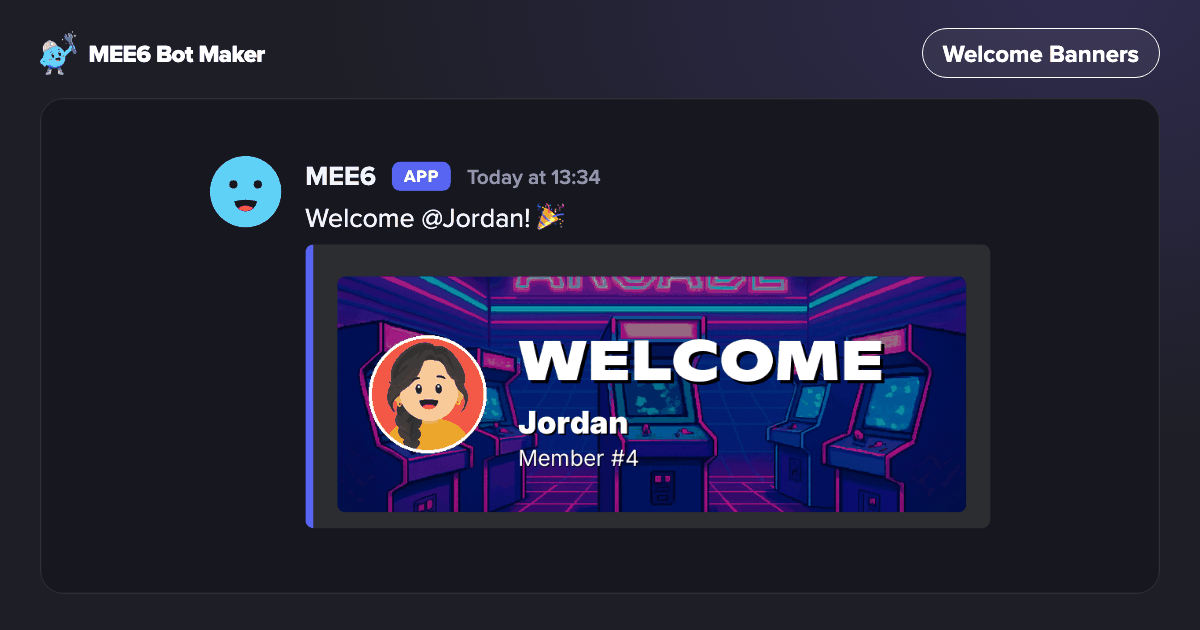
Welcome Cards greets every new member with a custom welcome card featuring their avatar, name, and member number.
No code needed. Try it in your browser before adding it to Discord.
What it does
Welcome Cards greets every new member with a custom welcome card featuring their avatar, name, and member number.
The card is drawn on one of five randomly selected backdrops: neon city, deep space, retro arcade, tropical beach, or cyberpunk street — every arrival gets a fresh look.
Setup: Set the welcome channel in Settings. The card is posted there automatically when someone joins.
Add Welcome Banners to your server
Log in with Discord
Sign in with your Discord account and choose the server where you want it.
Try it here
Play with commands, buttons and replies in a simulated Discord server, right in your browser. Your real server stays untouched.
Add it to your server
Choose your server, check the settings and add your module. Want something different? Just ask MEE6 to change it.
The prompt behind it
Greet every new member with a welcome card. Generate five wide backdrops in five bold moods (neon city at night, deep space, retro arcade, tropical beach, cyberpunk street) with the image model, pick one at random for each arrival, and draw the card with mee6.draw: the member avatar cut round on the left, WELCOME in big letters, their name, and which member number they are. Post it in the welcome channel as a file with their mention