Profile Cards Discord bot
Displays member profile cards with activity tracking.
No code needed. Try it in your browser before adding it to Discord.
What it does
Displays member profile cards with activity tracking.
Features
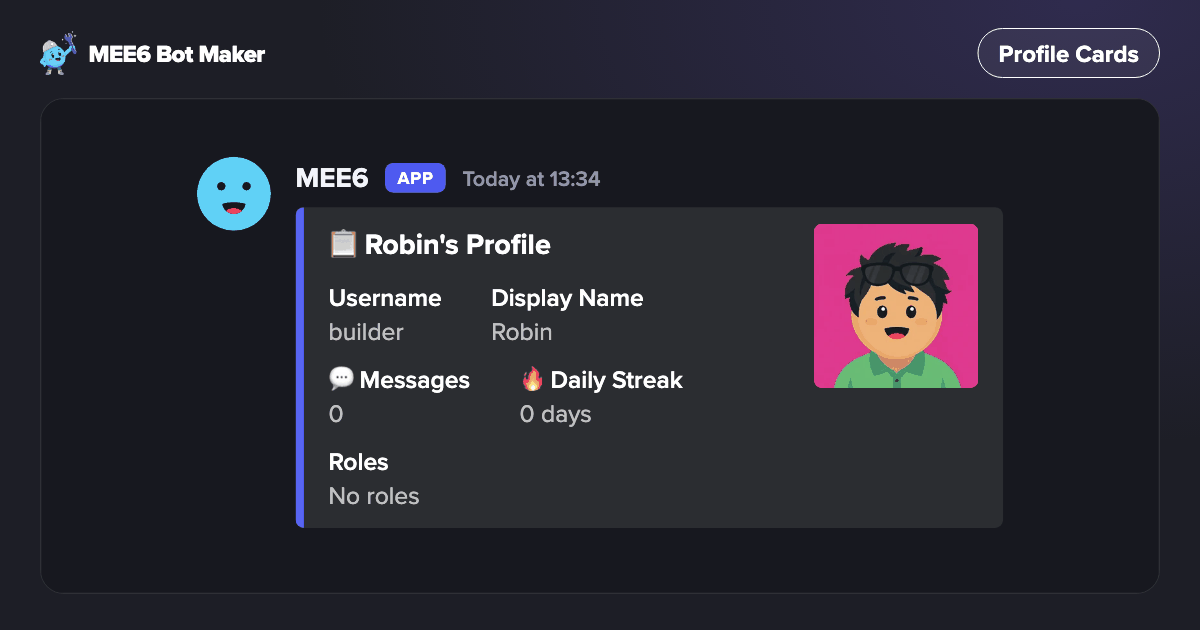
/profile [user]— View your profile or someone else's- Shows avatar, display name, username, and roles
- Tracks message count (incremented on every message)
- Tracks daily activity streak (consecutive days with messages)
How it works
The creation listens to every message and increments the member's message count. It also updates their daily streak:
- New streak: 1 day on first activity
- Continuing: Increments if they were active yesterday
- Broken: Resets to 1 if more than a day has passed
Settings
- Excluded role names (optional): Comma-separated list of role names whose members won't be tracked (e.g., "Bot,Muted")
Commands
/profileView your profile or someone else's
Add Profile Cards to your server
Log in with Discord
Sign in with your Discord account and choose the server where you want it.
Try it here
Play with commands, buttons and replies in a simulated Discord server, right in your browser. Your real server stays untouched.
Add it to your server
Choose your server, check the settings and add your module. Want something different? Just ask MEE6 to change it.
The prompt behind it
/profile shows a card for yourself or a member you name: their avatar as the thumbnail, their display name and roles, how many messages this creation has counted for them, and their current daily streak