Staff applications Discord bot
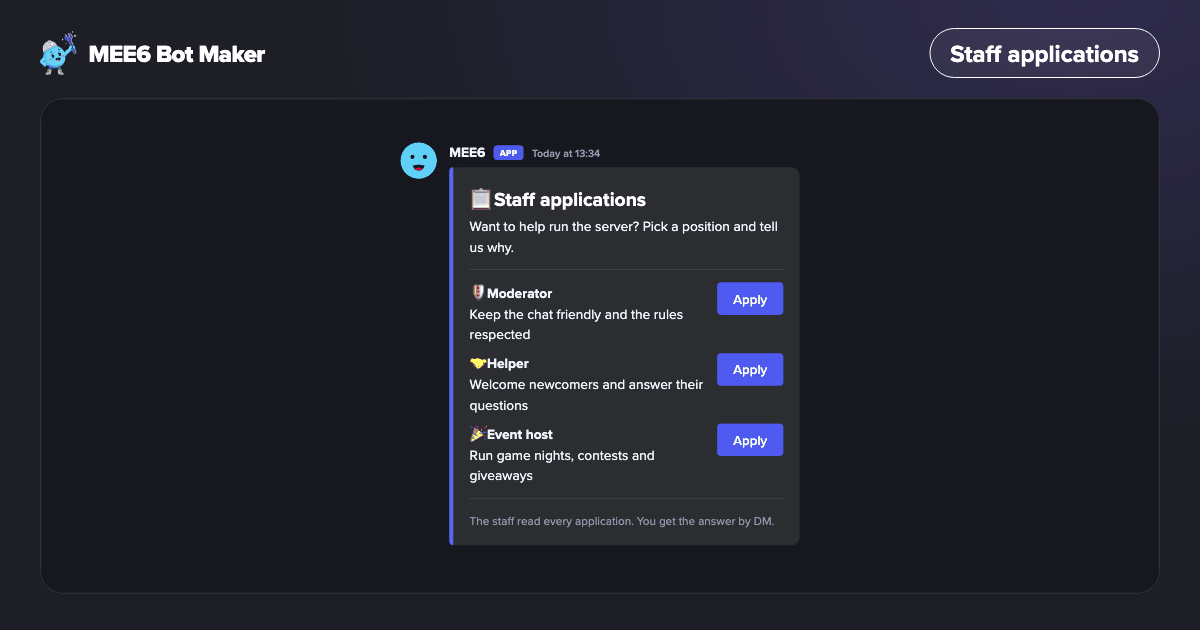
A staff application system with a panel listing your open positions.
No code needed. Try it in your browser before adding it to Discord.
What it does
A staff application system with a panel listing your open positions.
Setup: choose the review channel and list your open positions (name and a line about each) in the settings, then post the panel with /applications panel.
How it works:
- The panel shows one line per position, each with its own Apply button;
/applyopens the same form without a position - The form asks why the member wants to join the staff team and their age
- Applications land in the review channel as a card with Accept and Reject buttons
- When staff decide, the card shows the decision and who made it, and the applicant gets a DM
Commands
/applyApply to join the staff team/applications panelPost the staff applications panel
Add Staff applications to your server
Log in with Discord
Sign in with your Discord account and choose the server where you want it.
Try it here
Play with commands, buttons and replies in a simulated Discord server, right in your browser. Your real server stays untouched.
Add it to your server
Choose your server, check the settings and add your module. Want something different? Just ask MEE6 to change it.
The prompt behind it
Add a staff applications panel: /applications panel posts a card listing the open positions I configure, each with its description and its own Apply button, and /apply opens the same form — why the member wants to join the staff and how old they are. Post each application with the position in a channel I choose with Accept and Reject buttons, and DM the applicant the decision