Account Age Filter Discord bot
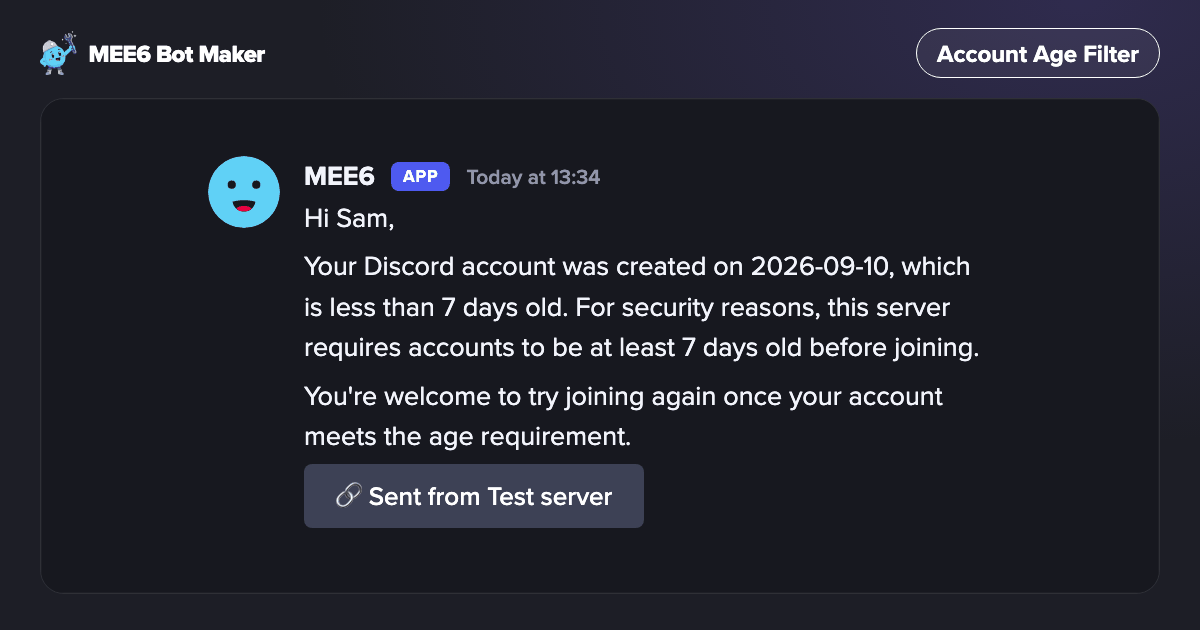
Automatically kicks members whose Discord accounts are too young (default: 7 days), sends them a DM explaining why, and logs each kick with the account creation date to a channel you choose.
No code needed. Try it in your browser before adding it to Discord.
What it does
Automatically kicks members whose Discord accounts are too young (default: 7 days), sends them a DM explaining why, and logs each kick with the account creation date to a channel you choose.
Setup: Configure the log channel in settings.
How it works: When someone joins, their account age is checked. If it's under the threshold, they're DM'd, kicked, and logged. The minimum age can be adjusted in settings.
Add Account Age Filter to your server
Log in with Discord
Sign in with your Discord account and choose the server where you want it.
Try it here
Play with commands, buttons and replies in a simulated Discord server, right in your browser. Your real server stays untouched.
Add it to your server
Choose your server, check the settings and add your module. Want something different? Just ask MEE6 to change it.
The prompt behind it
When a member joins with a Discord account younger than 7 days, DM them why, kick them, and log it with the account creation date in a channel I choose