Moderation Logs Discord bot
Automatically logs moderation events across your server into separate channels:
No code needed. Try it in your browser before adding it to Discord.
What it does
Automatically logs moderation events across your server into separate channels:
- Deleted messages: Content, author, channel, and who deleted them
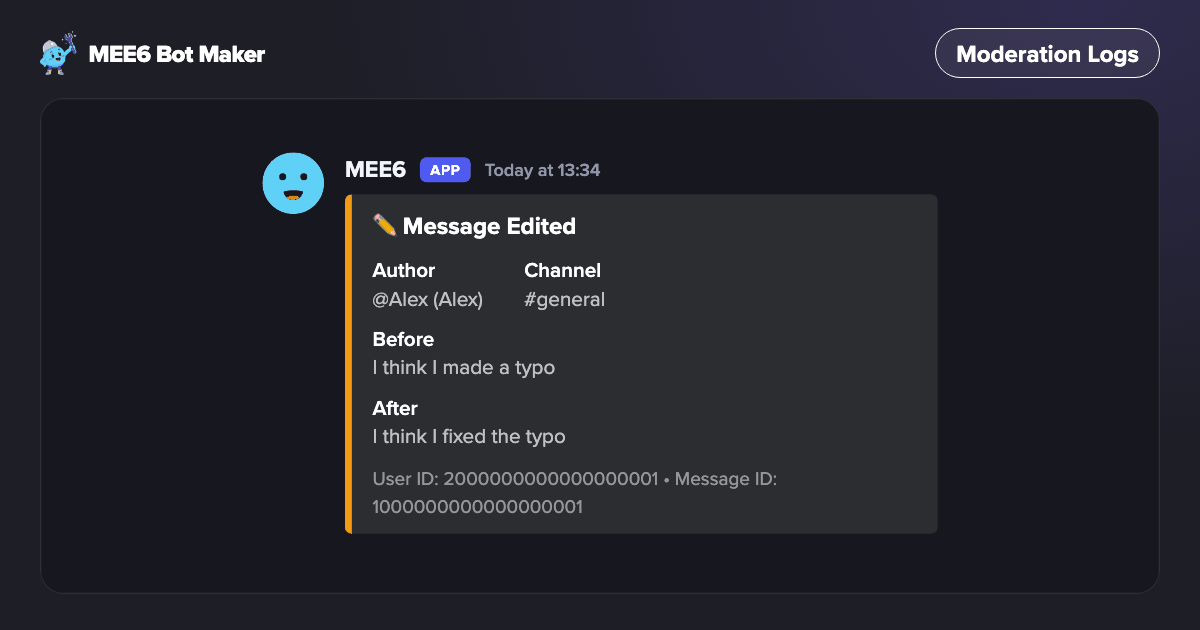
- Edited messages: Before and after text
- Member joins: With account age and creation date
- Member leaves: Whether they left, were kicked or were banned, by whom and why
- Role changes: Added and removed roles, and who changed them
Configure the four log channels in settings. Bot messages are automatically skipped. To say who did it, the bot needs the View Audit Log permission.
Add Moderation Logs to your server
Log in with Discord
Sign in with your Discord account and choose the server where you want it.
Try it here
Play with commands, buttons and replies in a simulated Discord server, right in your browser. Your real server stays untouched.
Add it to your server
Choose your server, check the settings and add your module. Want something different? Just ask MEE6 to change it.
The prompt behind it
Log deleted messages with their content and author in one channel, edits with before and after in another, joins and leaves in a third, role changes in a fourth, each channel chosen in settings, say who deleted a message, kicked or banned a member or changed a role, and skip messages from bots